The complete guide

How to play Riddle Rally

Everything your crew needs to know, from getting into the car to lifting the trophy. Read it together before the flag drops.

๐Ÿš— Before the rally

1. Get your car into the game

One person in each car is the captain. Everyone else joins as a passenger. All phones in the car share one game: the same riddle, timer and score.

  1. Install Riddle Rally from the App Store or Google Play.
  2. Captain: tap Create a team, enter your name and mobile number, pick a team name and a car colour, and add a photo of your car if you like. You get a car number and a 6-digit team code.
  3. Invite the crew: tap Share next to the team code and send the link on WhatsApp. Passengers tap the link, and the app opens with the code already filled in. They only add their name and number.
  4. Passengers without the link: tap Join with a code and type the 6 digits.
๐Ÿ’ก Changed phones mid-rally? Join again with the same team code and the same mobile number, and your seat moves to the new phone.
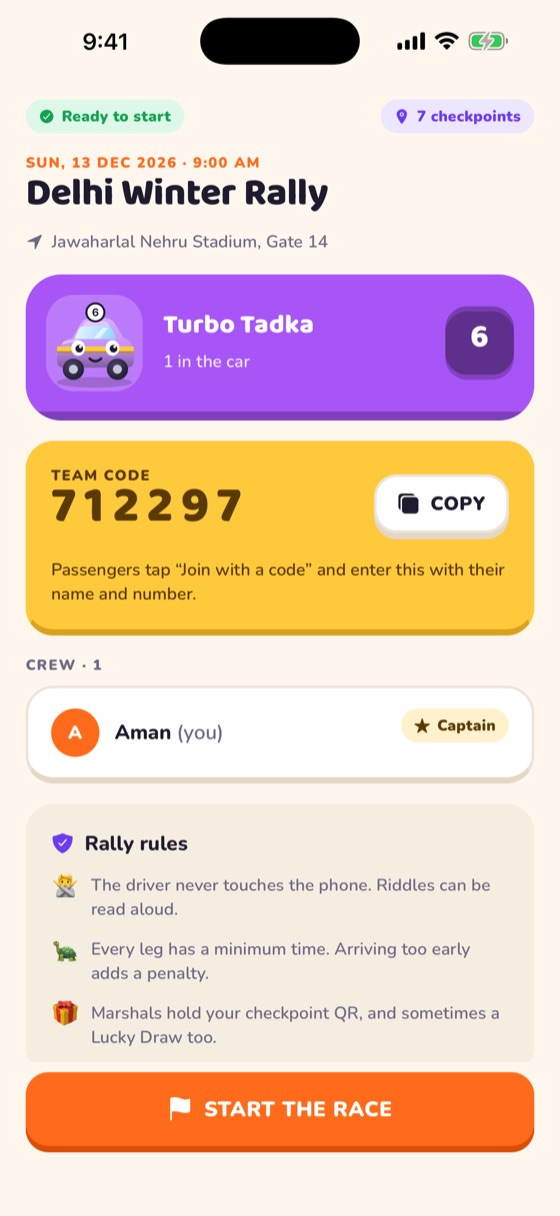
Lobby with team code and crew
๐Ÿ Flag off

2. Start the race

When the organizer opens the rally, the lobby shows Ready to start. Until then the button reads Waiting for organizer.

  1. Anyone in the car taps Start the race and confirms.
  2. The clock starts for the whole car, and the first riddle appears on every phone in it.
  3. Each car has its own order of checkpoints, so following the car ahead won't help.
โฑ๏ธ Your race clock keeps running until you scan the last checkpoint, so don't start until everyone is buckled in.
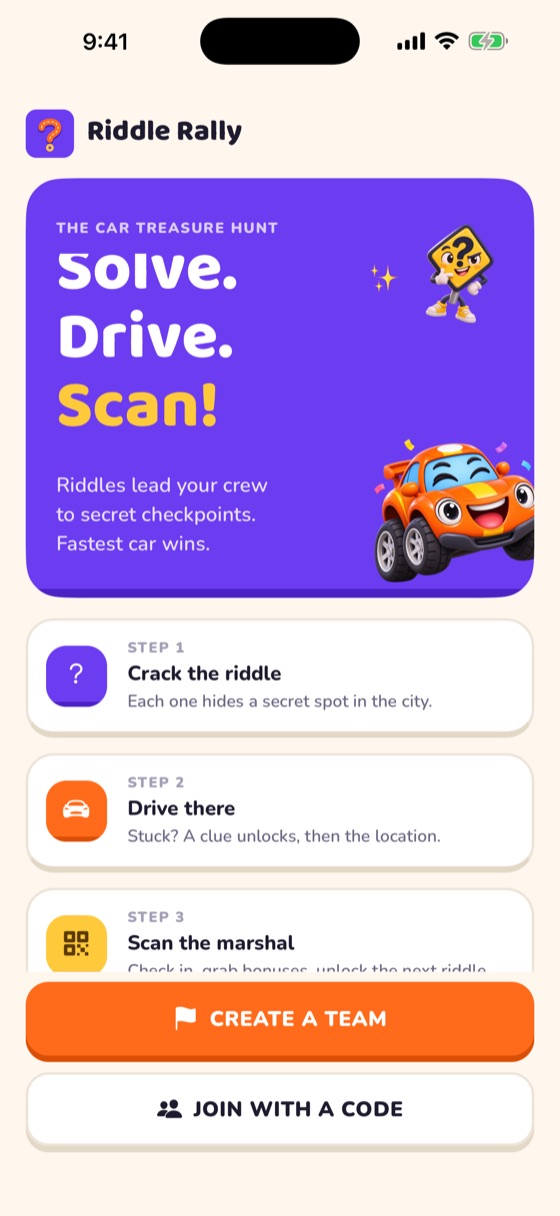
Welcome screen
๐Ÿงฉ The main game

3. Riddles and hints

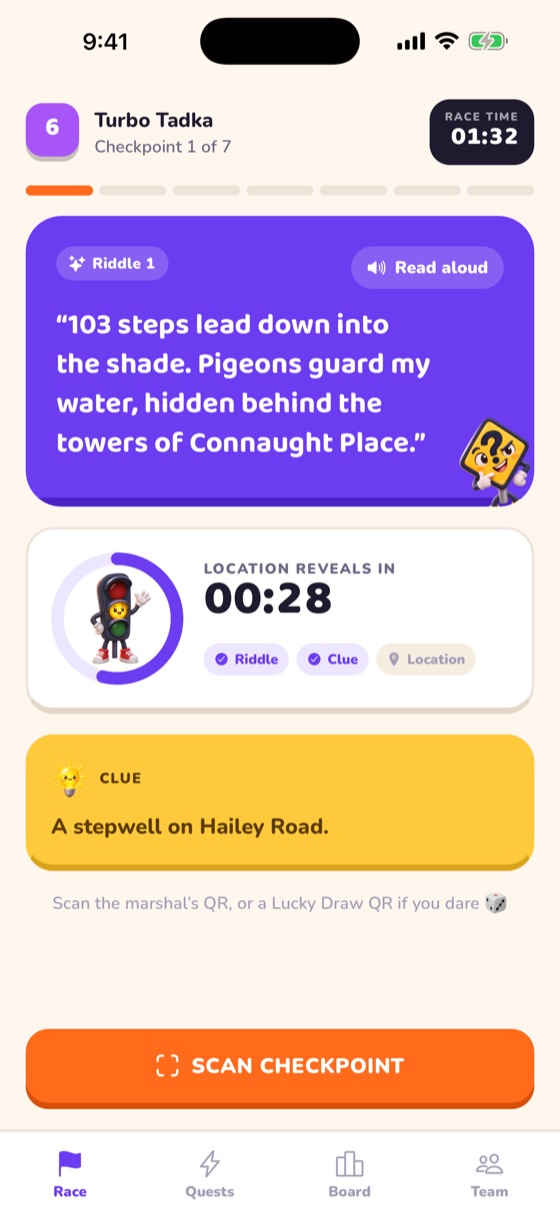
The Race tab shows the riddle for your next checkpoint. Tap the speaker to have it read aloud for the driver. Hints unlock with time, so nobody stays stuck forever:

StageWhat you seeCounts as
๐Ÿง  RiddleOnly the riddleGenius solve if you get there now
๐Ÿ’ก ClueAn extra clue appears (about 10 minutes in)Clue solve
๐Ÿ“ RevealedThe place name, address and an Open in Maps button (about 20 minutes in)Revealed

The ring around the timer shows how long until the next hint. Exact times can differ per event; the app always shows the countdown.

๐Ÿ† Genius solves count towards the Riddle Masters award.
Race screen with riddle and timer
๐Ÿ“ท At the checkpoint

4. Scan the marshal's QR code

Every checkpoint has a marshal in a Riddle Rally tee holding a QR code. That scan is your proof you made it.

  1. Park safely, then on the Race tab tap Scan checkpoint.
  2. Allow camera access the first time.
  3. Point the camera at the marshal's QR code. It checks in automatically.
  4. You see your leg time and how you solved it, and the next riddle unlocks on every phone in the car.
โŒ Wrong checkpoint? Only the checkpoint for your current riddle counts. Scanning another one shows โ€œWrong checkpointโ€; keep solving.
๐Ÿข Too fast? Each leg has a minimum time. Arriving earlier than that adds a time penalty, so there's no point speeding. The Race tab warns you while the minimum is still running.
MARSHAL
โŒจ๏ธ Backup

5. Enter a code by hand

Camera won't focus, glare on the QR, or no camera permission? Every QR has its code printed underneath it.

  1. Open the scanner (Scan checkpoint).
  2. Tap the keypad icon in the top-right corner of the camera screen. The camera switches to a text box.
  3. Type the code exactly as printed, for example RR-CP-INDIAGATE, and tap Check in.
  4. Tap the camera icon (same corner) to go back to scanning.

If you denied camera access, the scanner shows Type the code instead, which does the same thing.

โšก Bonus

6. Flash quests

Organizers drop surprise photo challenges during the rally, like โ€œTeam photo with a chai kulhadโ€. Each one has a timer and a bonus.

  1. Open the Quests tab โ†’ Flash quests. Live quests show the time left and the bonus, for example โˆ’2 min.
  2. Tap the quest, take the photo and send it. It shows Under review.
  3. An organizer checks it. Approved takes the bonus off your time; Rejected means you can try again while the quest is live.
๐Ÿ”” When a photo is approved you hear a ting, and the Quests tab shows a red badge until you look.
๐Ÿšฆ Passengers only, and only when the car is parked. The driver never handles the phone.
๐ŸŸฉ Bonus

7. Road bingo

The Quests tab โ†’ Road bingo has a 5 ร— 5 card of things you might see on the way: a vintage car, a street dog, a traffic cop, a wedding bandโ€ฆ

  1. Spot something on the card? Tap that square and photograph it.
  2. The organizer approves it and the square turns green.
  3. Every complete row, column or diagonal of approved squares is a bingo line and takes time off (1 minute per line by default).
๐Ÿ† The car with the most lines wins Bingo Champs.
๐ŸŽ Luck

8. Lucky draws

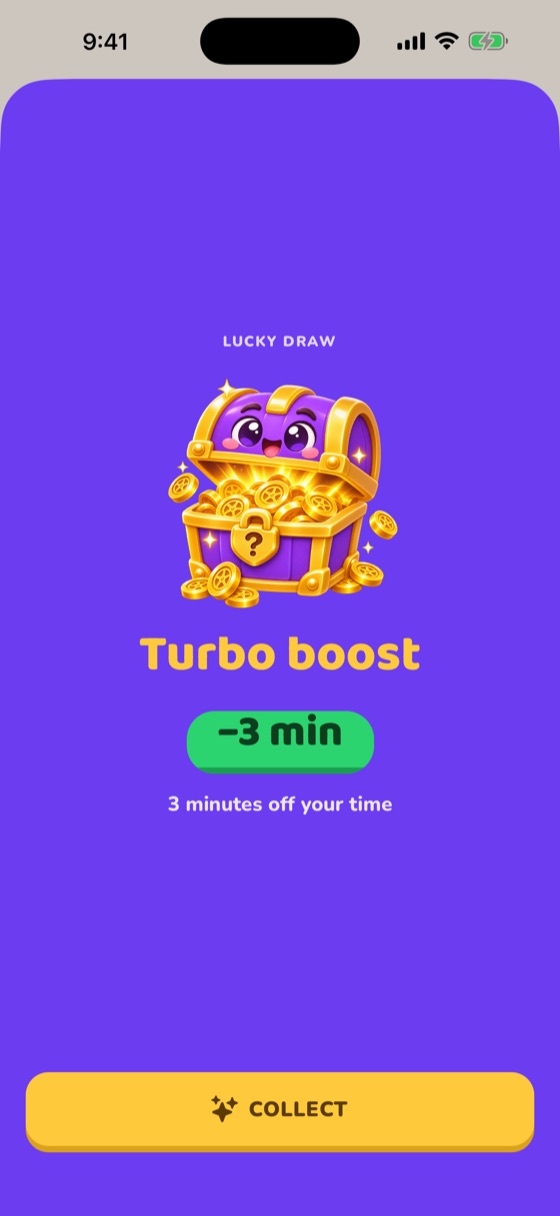
Some marshals carry a special Lucky Draw QR. Find one, scan it exactly like a checkpoint (or type its code), and a treasure chest shakes open:

๐Ÿ’Ž Jackpot!5 minutes off
๐Ÿš€ Turbo boost3 minutes off
๐ŸŸข Green light1 minute off
๐Ÿšง Speed bump1 minute added
๐Ÿ›ž Flat tyre2 minutes added

The result is applied to your time straight away. Each lucky code works once per car. Organizers can add their own prizes, so your event may have surprises.

๐Ÿ† The biggest lucky haul wins Lucky Draw King.
Lucky draw result
๐Ÿ“Š Live

9. The leaderboard

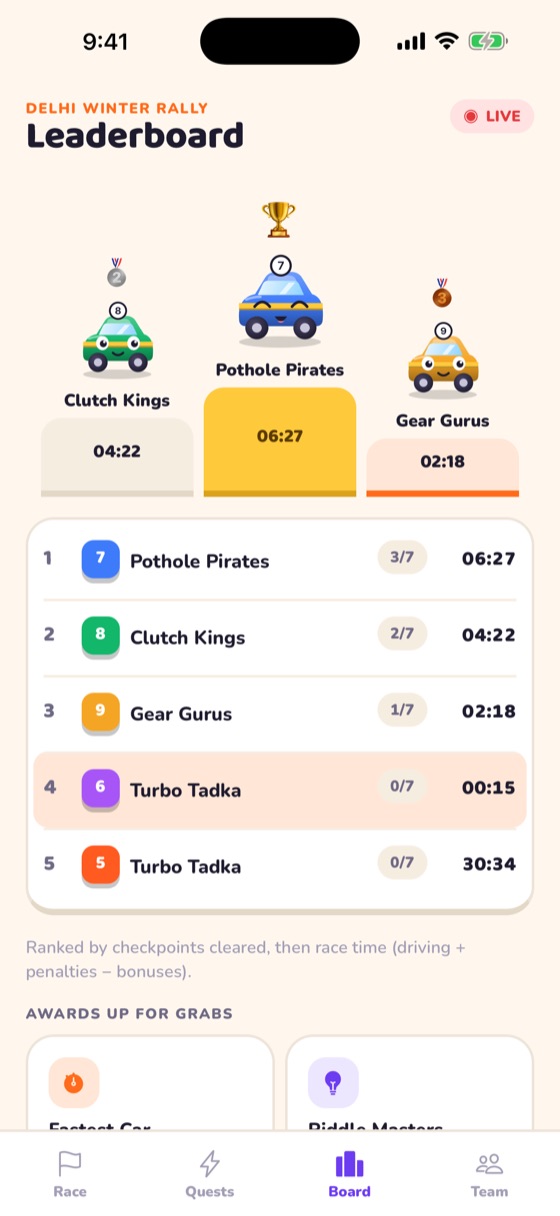
Open the Board tab any time to see every car live: checkpoints cleared, race time, and who has finished. Your car is highlighted.

  • The top three stand on the podium.
  • Awards: Fastest Car, Riddle Masters (most Genius solves), Bingo Champs (most bingo lines) and Lucky Draw King.
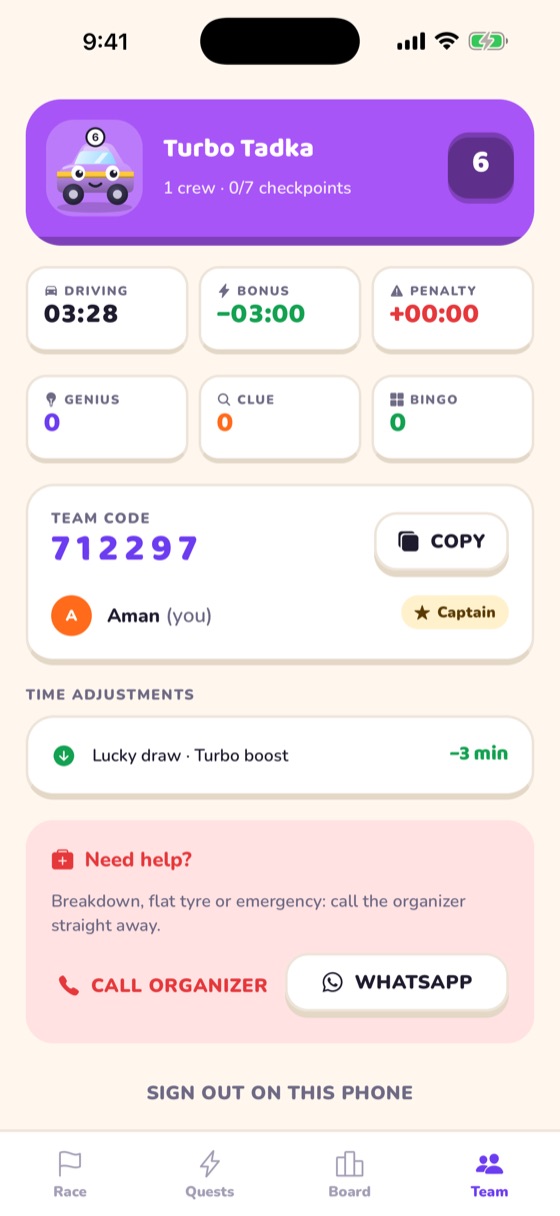
  • The Team tab shows your own breakdown: driving time, bonuses, penalties, and every leg.
Live leaderboard
๐Ÿงฎ Scoring

10. How the winner is decided

Cars are ranked by checkpoints cleared first, then by final time (lowest wins):

Final time = driving time + penalties โˆ’ bonuses

Takes time offAdds time
Approved flash questsArriving at a checkpoint under the minimum leg time
Road bingo linesUnlucky lucky draws
Lucky draw winsOrganizer penalties (e.g. rule breaks)

Organizers can also adjust a car's time with a reason, which shows on that car's Team tab.

๐Ÿ›Ÿ Safety

11. Safety, messages and help

  • The driver drives. Riddles can be read aloud; passengers handle the phone.
  • Follow traffic rules. There is nothing to gain from speeding: arriving too early costs time.
  • Organizer messages appear at the top of the Race tab with a sound: blue for info, yellow for alerts, red for urgent ones (with an alarm). Tap to close.
  • Breakdown, flat tyre or emergency? Team tab โ†’ Call or WhatsApp the organizer.
  • At the finish, head to the meeting point shown in the app for the prize ceremony.
Team tab with help buttons

Ready to roll?

Get the app, join your car and see you at the start line.